
Crafting Adaptive Designs: Exploring Parametric Modeling in SolidWorks
In today’s engineering and design world, static drawings are no longer sufficient. Flexibility, precision, and speed are critical. Adaptive Parametric SolidWorks Design introduces a method that allows designers to create intelligent 3D models that automatically adjust when dimensions or features change.
Unlike traditional CAD modeling, where edits often require reworking entire designs, parametric modeling ensures that changes propagate seamlessly across all related features. SolidWorks provides a robust platform for this approach, combining powerful tools with a user-friendly interface.
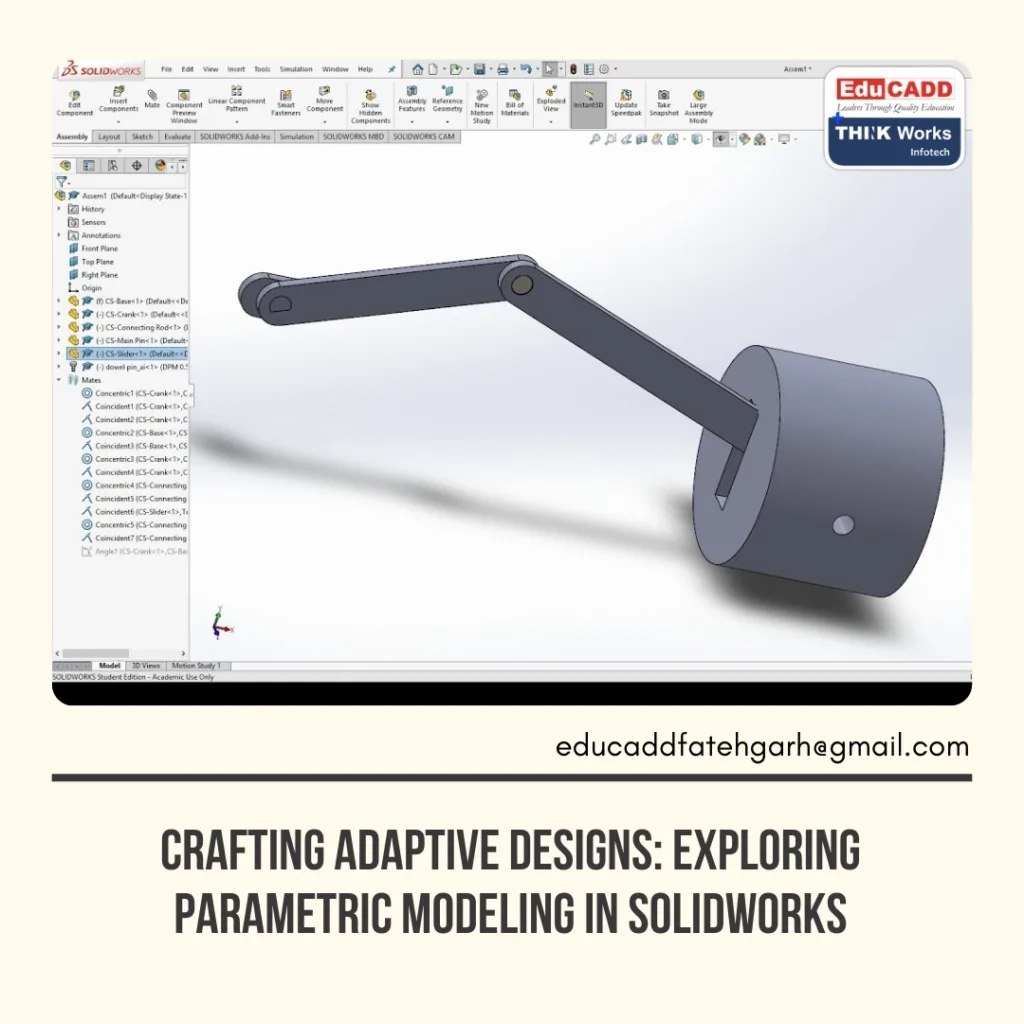
In this blog, we’ll explore parametric modeling in depth, explain its significance, guide you through SolidWorks’ core features, and highlight how mastering this technique can enhance your design workflow.
What Exactly is Parametric Modeling?
Parametric modeling is a design approach in which every element—lines, curves, surfaces, or features—is governed by parameters and relationships. These parameters control dimensions, shapes, and positions, allowing models to update automatically when changes occur.
For example, if you design a mechanical bracket with holes and later increase the base plate width, the holes adjust automatically, maintaining proper spacing and alignment. This approach reduces repetitive work, enhances precision, and ensures design consistency.
Key aspects of parametric modeling include:
- Dimensions and constraints that govern geometry.
- Feature relationships that maintain design intent.
- Formulas and rules for automated adjustments.
Through this method, engineers save time, avoid errors, and gain the flexibility to experiment with different design alternatives.
Why Parametric Modeling is Essential in Modern Design
Product designs today evolve rapidly, requiring frequent updates. Traditional modeling slows development, while parametric modeling enables agile workflows. SolidWorks’ parametric tools offer several benefits:
- Time Efficiency – Update one feature, and dependent elements adjust instantly.
- Accuracy – Constraints and rules reduce errors and maintain design intent.
- Flexibility – Quickly explore design variations without starting over.
- Collaboration – Models with defined relationships simplify teamwork.
- Scalability – Works for small parts and complex assemblies alike.
Companies adopting parametric modeling reduce production errors, speed up product development, and allocate more resources to innovation.
Getting Started with Parametric Modeling in SolidWorks
SolidWorks simplifies the Adaptive Parametric SolidWorks Design with intuitive tools and workflows. Here’s a step-by-step guide to get started:
Step 1: Sketching Basics
All parametric models start with 2D sketches. Simple shapes like lines, rectangles, and circles form the foundation. Dimensions in SolidWorks are parametric, meaning they control how sketches react to changes.
Step 2: Applying Constraints
Constraints define relationships within sketches. For instance, you can make two lines parallel, set circles concentric, or align points symmetrically. Constraints ensure that sketches behave predictably when modified.
Step 3: Building Features
Sketches are converted into 3D features, such as extrusions, cuts, and revolves. These features retain parametric relationships, allowing changes to propagate throughout the model.
Step 4: Using Design Tables
SolidWorks allows linking dimensions to Excel spreadsheets. This creates multiple design variations quickly, making it ideal for producing parts with different sizes or specifications.
Step 5: Testing and Simulation
Parametric models can be tested for performance, strength, and efficiency. Adjusting parameters and running simulations ensures that the design meets functional requirements before production.
With regular practice, designers progress from basic sketches to fully intelligent, adaptive assemblies.
Advantages of Learning Parametric Modeling with SolidWorks
Mastering parametric modeling in SolidWorks offers numerous benefits:
- Faster Design Iterations – Quickly implement and test changes.
- Improved Collaboration – Clear, rule-based models facilitate communication across teams.
- Reduced Errors – Automatic updates minimize inconsistencies.
- Cost Savings – Shorter design cycles reduce prototyping and manufacturing expenses.
- Industry-Relevant Skills – Expertise in SolidWorks enhances career opportunities.
Additionally, understanding parametric principles paves the way for advanced techniques like generative design, additive manufacturing, and simulation-driven development.
Applications of Parametric Modeling Across Industries
Parametric modeling is versatile and used in many sectors:
- Automotive – Engine components, body structures, and assemblies adapt to different models.
- Aerospace – High-precision parts maintain integrity under changing parameters.
- Consumer Products – Household items and electronics can be scaled and customized easily.
- Architecture – Buildings and structures respond dynamically to environmental and structural constraints.
- Medical Devices – Custom implants and surgical instruments are tailored to patient specifications.
SolidWorks enables designers to simulate, optimize, and deliver these products faster and more efficiently than traditional methods.
Steps to Master Parametric Modeling
A structured approach helps learners gain proficiency in parametric modeling:
- Sketching Fundamentals – Learn dimensions, constraints, and design intent.
- Assembly Design – Understand interactions between multiple parts.
- Advanced Parametrics – Explore formulas, configurations, and design tables.
- Simulation & Testing – Evaluate models for performance and durability.
- Practical Projects – Apply skills to real-world designs for hands-on experience.
Consistent practice, tutorials, and projects accelerate learning and develop a deep understanding of parametric principles.
Common Challenges and Solutions
Beginners often face hurdles when learning parametric modeling:
- Over-constraining sketches, which can cause conflicts.
- Losing design intent during modifications.
- Managing large assemblies that slow performance.
To overcome these challenges:
- Start with simple models and increase complexity gradually.
- Name dimensions and features clearly.
- Plan design intent before sketching.
- Keep assemblies modular for easier updates.
Following these best practices ensures smoother workflows and more effective modeling.
The Future of Parametric Modeling
Parametric modeling is evolving rapidly. Integration with AI, cloud collaboration, and digital twin technology will expand its capabilities. SolidWorks already supports cloud-based workflows, enabling teams worldwide to collaborate in real-time.
Future innovations may include predictive design, where software suggests optimal parameters based on past data. In manufacturing, digital twins linked to parametric models can improve accuracy and reduce errors. Learning parametric modeling today prepares designers for these advanced technologies and keeps them competitive in a fast-changing industry.
Conclusion
Adaptive Parametric SolidWorks Design is not just a technical skill; it is a transformative approach to design. Instead of static models, designers create dynamic, intelligent systems that adapt seamlessly to changes. SolidWorks equips professionals with the tools to implement this method efficiently, reducing errors, saving time, and enhancing innovation.
By mastering parametric modeling, designers can accelerate product development, improve collaboration, and stay ahead of technological advancements. SolidWorks makes it possible to turn ideas into adaptive, real-world designs today.

